











The BetKing mobile application gives Nigerian users direct access to sports betting, live markets, virtual games, and casino entertainment from an Android smartphone. An installed app can make navigation more convenient, while notifications may help users follow account activity and bet settlements. The exact features and payment options shown can depend on the account, device, and current service availability.
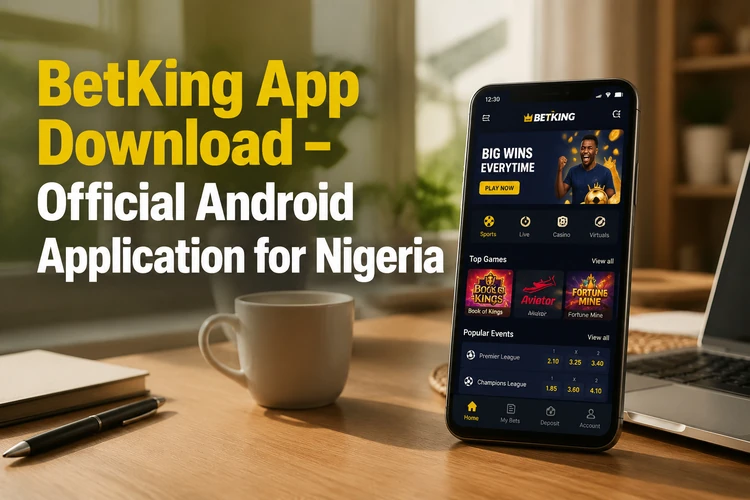
Android users can install the software manually with an APK file obtained from the operator's official website. The steps are straightforward, but Android security settings, available storage, and the device's operating system all affect installation. Use this guide as a practical checklist rather than downloading a file from an unverified third-party source.
What Is BetKing App?
The app is a native Android betting platform for people who prefer a dedicated mobile interface instead of opening a browser each time. Depending on current availability, it can provide access to account registration, deposits, withdrawals, sports markets, casino categories, bet placement, and betting history. It uses the same account credentials as the wider service, so an existing user does not normally need a separate account for the phone.
A mobile app can keep frequently used interface elements close at hand and may offer notification controls that are less convenient in a browser. The website remains useful when a user does not want to install software, has limited phone storage, or is using a device that does not meet the app's requirements. Performance also depends on the phone, the browser or app version, and the quality of the internet connection.
How to Download BetKing APK
APK means Android Package Kit, the file format used to install many Android applications. Before downloading, open the official BetKing website on the phone and use its mobile section to find the current Android download option. Avoid files shared through social media, unofficial download pages, or message groups, since their contents may be altered or outdated.
Check the device requirements shown on the official download page before starting. Keep enough free storage for the installer and temporary files, and use a stable Wi-Fi or mobile-data connection. A failed or interrupted download should be deleted and started again rather than opened repeatedly. Do not assume that an old installer is the latest version simply because it still opens.
Step-by-Step Installation Guide
First, download the APK and wait until the browser confirms that the file is complete. Then open Android settings and locate the permission for installing unknown apps. On newer phones, this permission is usually granted to the specific browser or file manager being used; on older versions, it may appear as a general Unknown Sources setting.
- Step 1: Check the Android version and available storage.
- Step 2: Allow installation for the browser or file manager that downloaded the file.
- Step 3: Open the APK from the Downloads folder and review the installer screen.
- Step 4: Complete installation, then turn the special installation permission off again if you do not need it.
- Step 5: Launch the app and sign in with your existing credentials, or register if you do not yet have an account.
Read the permissions request before tapping Install. Android may ask for notification access or other permissions, and the available choices can differ by version. Do not provide access that seems unrelated to the app's stated operation. On the first launch, check that the interface loads correctly before attempting a deposit or placing a bet.
Main Features of BetKing Mobile App
The Sports area can include football, basketball, tennis, and other competitions, with pre-match and in-play markets where available. Selecting an event opens its odds and bet types, while the betslip shows the selections and stake before confirmation. Always check the market, odds, stake, and any displayed terms before submitting a wager.
Live betting presents events already in progress, so odds and availability can change quickly. Live scores and event times are useful reference tools, but they should not replace checking the market itself. Virtual sports use simulated events with short settlement times. Casino categories, including slots or table games where offered, may be subject to separate availability and account conditions.
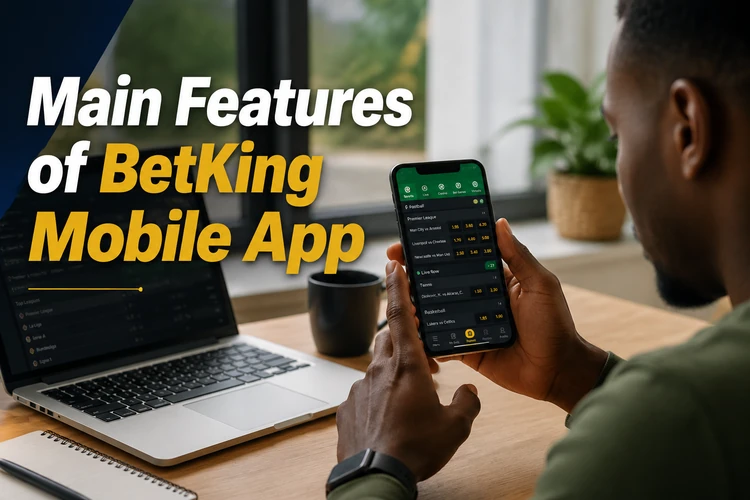
Account tools normally include balance information, deposits, withdrawal requests, profile settings, and betting history. Payment methods and processing times should be checked in the account itself because they may change. Notification settings can help users limit promotional messages or receive account alerts. Treat responsible-gambling controls as part of account management: set limits where available and avoid chasing losses.
BetKing Old Mobile Lite
Old Mobile Lite refers to an earlier, simplified mobile interface intended for slower connections or less powerful devices. It may use fewer visual elements and consume less data than a full application, but an older version can also lack current security fixes, design changes, or newly introduced features.
Users with older phones should first check whether the current app supports their Android version. If a Lite option is still officially provided, use only the version linked from the operator's current website. Do not install an archived file from an unknown source merely because it has a familiar name. A simpler interface can help with loading speed, but it does not remove the need for a secure connection and current account protections.
How to Update BetKing App
Updates can correct bugs, improve compatibility, and address security issues. Since an APK installation may not use the Play Store's automatic update system, check the official website or any in-app notice for a newer release. Download the new file over a reliable connection and install it over the existing version when Android allows this.
Keeping the existing installation normally preserves account data, but confirm that you know your login details before starting. Do not interrupt the phone while the update is being installed. If the update fails, check storage and delete only the incomplete installer. A fresh download is safer than using a file that was interrupted or renamed by a third-party source.
Troubleshooting Common Issues
Most setup problems have a simple cause. Use the following checks before contacting support:
| Problem | Possible cause | What to try |
|---|---|---|
| APK will not install | Permission, storage, or compatibility issue | Allow installation for the relevant app, free storage, and check Android version |
| Login error | Incorrect credentials or restricted access | Re-enter the details and use the recovery option on the login page if needed |
| App freezes | Corrupted cache or outdated software | Restart the phone, clear cache, and check for an update |
| Connection failure | Weak or interrupted network | Switch between Wi-Fi and mobile data |
If the app closes repeatedly, restart the phone and clear its cache through Settings, Apps, BetKing, and Storage. Clearing app data can remove the local session, so use it only after confirming that you can sign in again. For a persistent error, record the phone model, Android version, and exact message before using the contact page.
Security and Best Practices
Use the official operator website for every installation and update. A modified APK can contain harmful code or capture login details. After installation, review the permission granted to the browser or file manager and disable the installation permission when finished. Keep Android and its security updates current, and avoid using the app on a rooted device where standard protections may be weakened.
Choose a unique password, protect the phone with a screen lock, and never share one-time codes or account credentials. Avoid saving login details on a public device. Before depositing or withdrawing, confirm that you are using the correct account and review the transaction information carefully. Betting should be for adults only; set a budget and take a break if play stops being enjoyable.
Frequently Asked Questions
Open the official BetKing website on an Android phone, use the mobile section, and select the current download option. After the file finishes downloading, enable installation for the relevant browser if Android requests it, then open the file from Downloads.
An APK should be obtained only from the official operator website. Files from third-party sources may be modified or outdated, so do not install them or bypass Android warnings without checking the source.
Yes. Sign in with the credentials for your existing account. Check the displayed balance and account details before placing a bet, and use the recovery option if you cannot remember the password.
Check the current requirements on the official download page because they can change with new releases. A phone running an older Android version may not support the current app and may need an officially supported alternative.
The installer needs free space, and the app may create additional temporary or cached data during use. Keep more space available than the download size and remove an incomplete file if the installation fails.
The usual causes are a disabled installation permission, insufficient storage, an incompatible Android version, or a damaged download. Check each of these items, download the file again from the official source, and contact support if the error continues.