











BetKing login is the account access step that lets registered users in Nigeria open their sportsbook wallet, check their balance, place bets and use connected products such as virtual sports or Aviator. The process is similar on desktop, mobile browser, Lite pages and the app, but each option suits a different device or internet connection.
How to Log In to BetKing
Accessing your BetKing account takes less than a minute when your details are correct. The login process works in the same basic way on desktop browsers, mobile browsers and the app: enter the phone number or username you registered with, add your password, and tap the login button. If the credentials match, you land on the main sportsbook page with your balance visible at the top.
Before you attempt to log in, make sure you already have a verified account. If you still need one, you can create a BetKing account using your Nigerian phone number. Keep the number active, because it may be needed later for password recovery or account checks.
On a desktop browser, open the BetKing website and look for the login fields in the top-right corner of the page. Enter your phone number and password, then click the login button. The site loads your dashboard, where you can fund your wallet, place bets or check previous results. If the page stalls, refresh the browser and try again; intermittent network drops are common on some Nigerian ISPs during peak hours.
BetKing Mobile Login
Most Nigerian punters access BetKing from a phone, so the mobile experience is built to be lighter than a full desktop page. Open any browser on your Android or iPhone, such as Chrome, Samsung Internet or Safari, and go to the BetKing site. The mobile version detects your screen size automatically and shows a simplified layout with the login fields near the top.
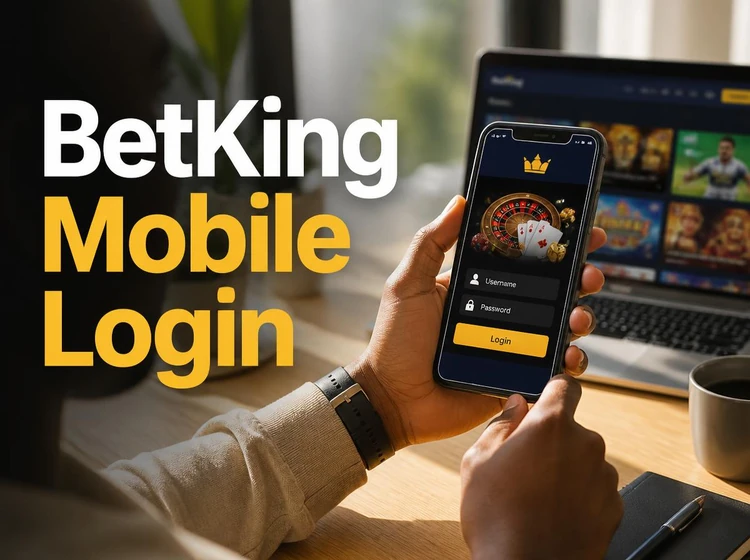
If your phone is low on storage or your connection is slow, the Lite version of the site is a practical alternative. It removes heavier graphics and can load more comfortably on 2G or 3G networks. The login flow is identical: phone number, password, submit. You still get access to standard markets, your bet slip and your account balance.
For a smoother day-to-day experience, the BetKing app saves you from typing the URL each time. After installing it on Android, open the app and log in with the same details you use on the website. If you share your phone or use a borrowed device, log out after each session rather than relying on saved access.
BetKing Old Mobile Login
The old mobile version, sometimes called Mlite, is useful for people who prefer a stripped-back interface or have phones with basic browsers. It renders in plain HTML with minimal styling, so it can load even when the main mobile page is slow. Open the old mobile page in your browser and you should see a simple form asking for your phone number and password.
This version does not support every feature available on the main site. Live betting updates may refresh less frequently, and some visual elements can look basic. For placing standard pre-match bets, checking results and managing your wallet, the old mobile login can still be enough. If you normally use the main mobile site but hit network trouble, switching to the old mobile version may get you back into your account faster.
Login with Phone Number and Password Recovery
BetKing accounts in Nigeria are tied to a local phone number, which usually doubles as your username. When you log in, use the number you provided during registration. Enter it in the same format you originally used, because adding or removing a country code can sometimes cause a failed attempt.
If you have forgotten your password, tap the «Forgot password?» link on the login screen. BetKing sends a reset code to your registered phone number by SMS. Enter that code, create a new password and confirm it. If the SMS does not arrive after a few minutes, check your signal and confirm that the SIM linked to the account is still active.
Choose a password that is at least eight characters long and mixes letters with numbers. Avoid obvious choices like your date of birth, repeated digits or your phone number. Changing your password from time to time is sensible, especially if you have logged in on a shared phone, cybercafe computer or someone else’s laptop.
BetKing Shop and Cashier Login
BetKing operates retail shops across Nigeria where bettors can place wagers over the counter. Shop agents and cashiers use a separate login portal from the regular customer site. If you are a shop operator, your credentials are issued by BetKing directly and are used for the cashier dashboard, where bets, payouts and deposits for walk-in customers are processed.
Regular bettors do not need shop login details. If you placed a bet in a physical shop and received a printed slip, winnings are normally handled at that location. If you want to manage future bets online, register a personal account and use your own phone number and password.
Accessing Virtual Sports and Aviator After Login
Once you are logged into your BetKing account, virtual sports are available from the main menu. Virtual football, racing and other simulated events run throughout the day, so there is usually a market open. No separate login is required because your single account covers the products available on the platform.
Aviator also sits inside your regular BetKing session. Navigate to the game after logging in, and it loads with your wallet balance available. Keep your browser up to date, because real-time games can perform poorly on very old browser versions. On the mobile version, smaller screens are supported, but landscape orientation can make controls easier to use.
Common Login Problems and Security Tips
The most frequent login issue is a mistyped password. Double-check that your keyboard is not set to a different language and that caps lock is off. If you have tried several times and the site locks your account temporarily, wait 15-30 minutes before trying again or use the password reset flow.
Browser cache can also cause trouble. If the login page looks broken or does not respond when you tap the button, clear your browser cache and cookies, then reload the page. On Chrome for Android, open Settings, go to Privacy, and clear browsing data. This forces the browser to fetch a fresh copy of the site.
Outdated browsers are another common culprit. BetKing relies on modern web standards, so old versions of Chrome, Safari or UC Browser may trigger display errors. Update your browser through the Google Play Store or Apple App Store before trying again.
For account security, never share your password with anyone, including people who claim to be support staff. Legitimate support should not need your password. Be cautious of phishing links sent by SMS or social media that imitate a login page. Always check the address bar before entering your details. If you suspect unauthorised access, reset your password immediately and review your recent transaction history. Users must be 18+ to hold a BetKing account, and keeping your login details private is part of responsible use of the platform.
FAQ
You need the phone number you registered with and your account password. Enter both on the login page and tap the login button. If you have not created an account yet, register first using a valid Nigerian phone number.
Tap the «Forgot password?» link on the login screen. BetKing will send a reset code to your registered phone number by SMS. Enter the code, set a new password, and confirm it. If the code does not arrive, check your signal and make sure the registered SIM is active.
Yes. Use the Lite or old mobile version of the site, which loads with less data. These versions remove heavier graphics and can work better on 2G and 3G networks, while still letting you access your account and place standard bets.
Yes. A single BetKing account gives you access to products available inside the platform, including virtual sports and Aviator. Log in once, then open the section you want from the menu.
Check that caps lock is off, your keyboard language is correct, and the phone number is entered in the format used at registration. If the problem continues, use the password reset option. After several failed attempts, the system may temporarily lock the account for security.
Shop agents and cashiers use a dedicated portal with credentials issued by BetKing. Regular customers do not need shop login details; a personal account is used for website, mobile and app access.